> ## Documentation Index
> Fetch the complete documentation index at: https://help.aasaan.app/llms.txt
> Use this file to discover all available pages before exploring further.
# How to Subscribe
> How to purchase a subscription in aasaan
You can watch the video version of this article here:
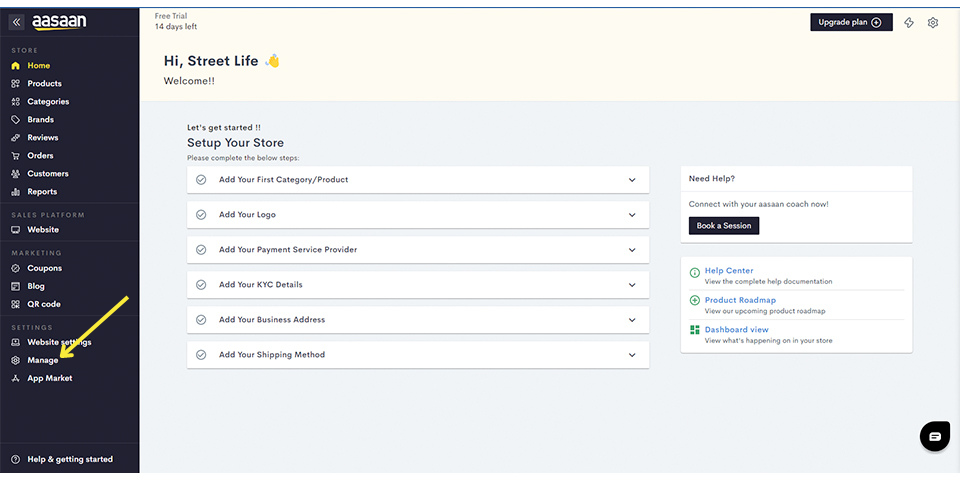
### Goto your aasaan admin panel.
* Click on "Manage".
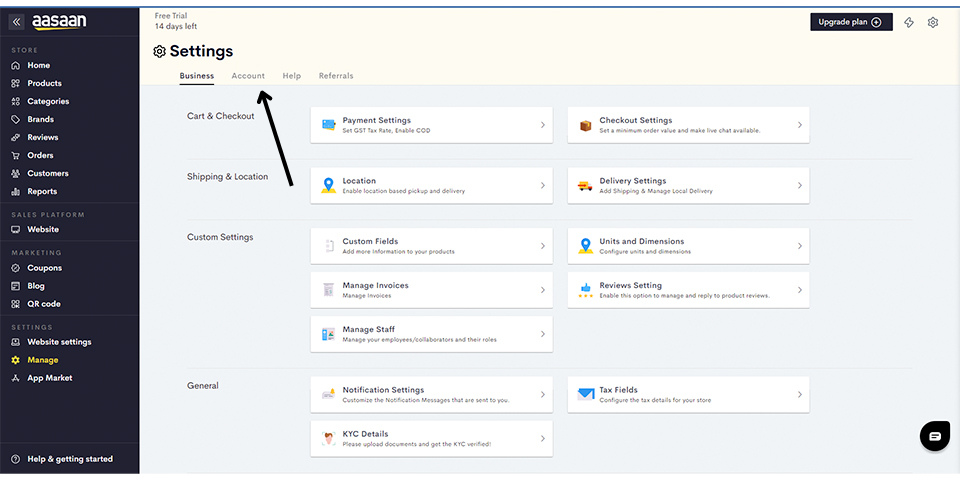
### Navigate to Account
* Click on "Account".
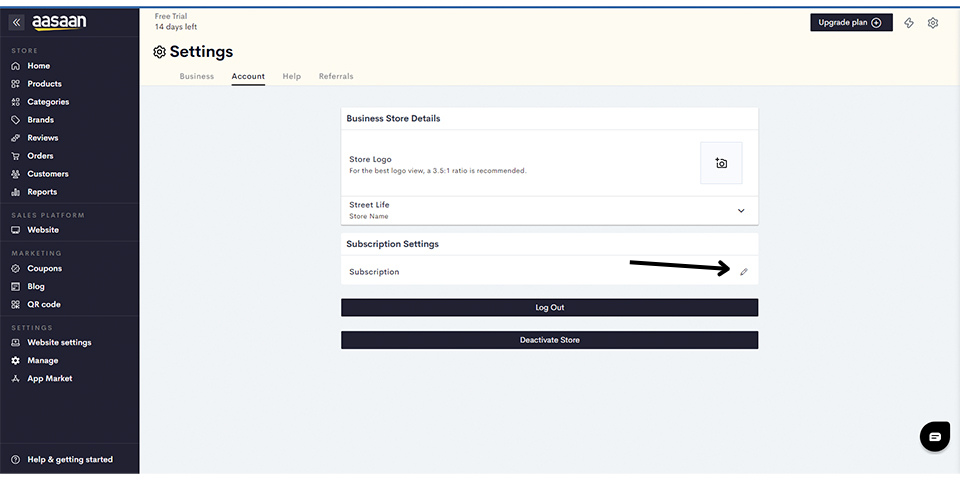
### Access Subscriptions
* Click on "Subscriptions".
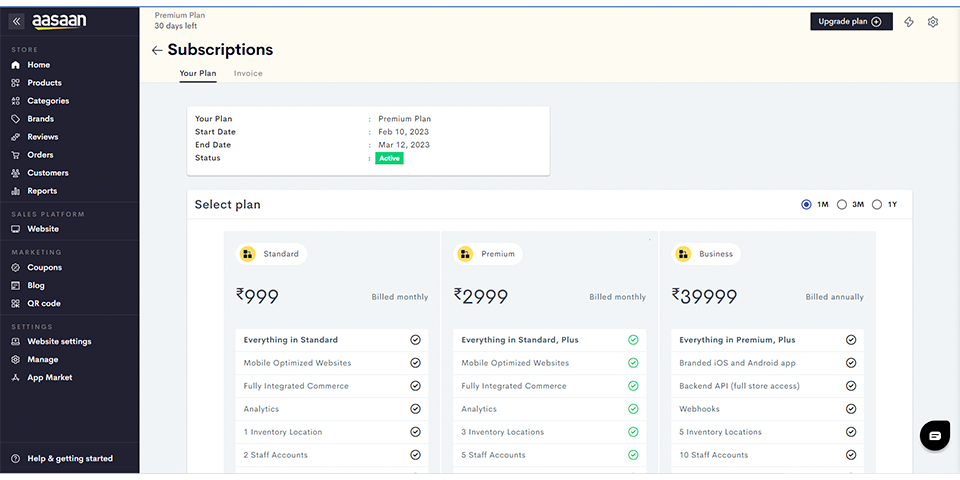
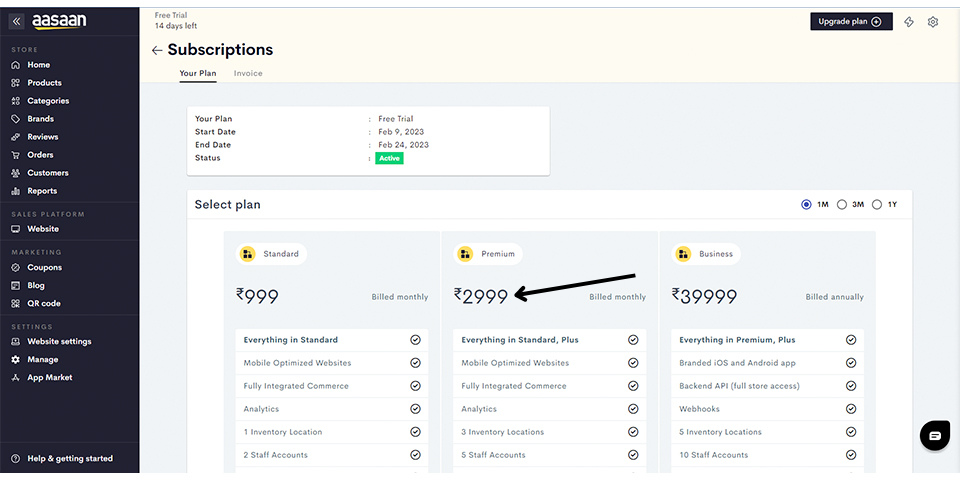
### Choose a Plan
* View the available plans.
* Select the desired plan and duration (e.g., premium plan for one month).
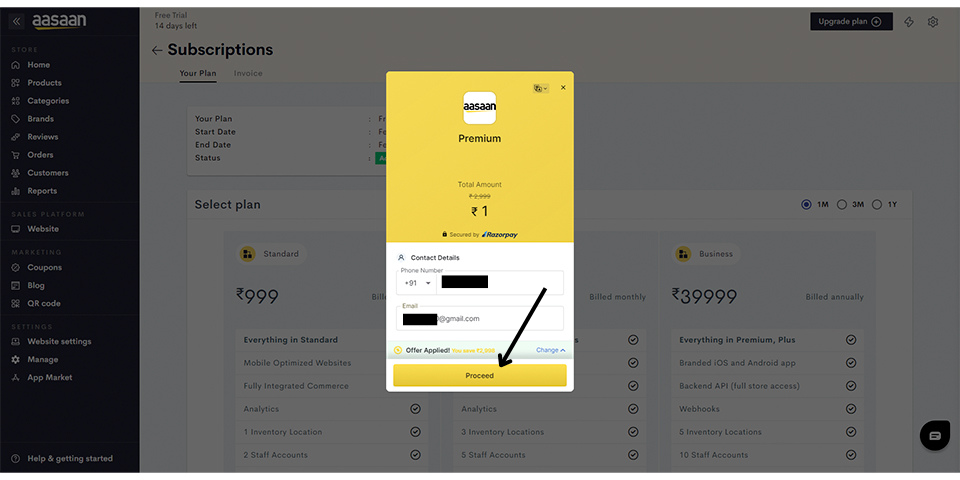
### Payment Gateway
* Upon selecting a plan, the payment gateway opens.
* Enter your mobile number and email address.
* Click on "Proceed".
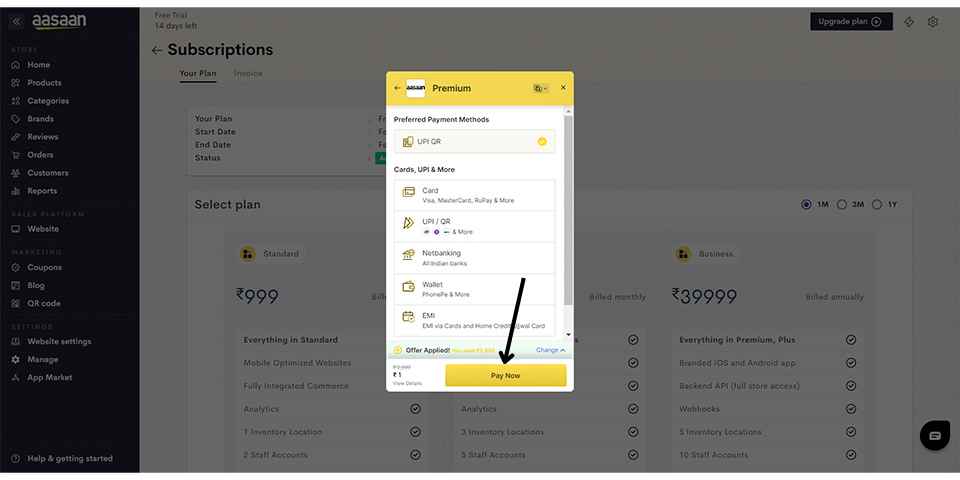
### Payment Process
* Choose your preferred payment method.
* Complete the payment process.
### Confirmation
* After successful payment, the subscription page should update with the details of the current plan.
 ### Navigate to Account
* Click on "Account".
### Navigate to Account
* Click on "Account".
 ### Access Subscriptions
* Click on "Subscriptions".
### Access Subscriptions
* Click on "Subscriptions".
 ### Choose a Plan
* View the available plans.
* Select the desired plan and duration (e.g., premium plan for one month).
### Choose a Plan
* View the available plans.
* Select the desired plan and duration (e.g., premium plan for one month).
 ### Payment Gateway
* Upon selecting a plan, the payment gateway opens.
* Enter your mobile number and email address.
* Click on "Proceed".
### Payment Gateway
* Upon selecting a plan, the payment gateway opens.
* Enter your mobile number and email address.
* Click on "Proceed".
 ### Payment Process
* Choose your preferred payment method.
* Complete the payment process.
### Payment Process
* Choose your preferred payment method.
* Complete the payment process.
 ### Confirmation
* After successful payment, the subscription page should update with the details of the current plan.
### Confirmation
* After successful payment, the subscription page should update with the details of the current plan.